Invoice Automation
Invoice Automation Across EDI, PDF and ERP Workflows
Invoice automation turns incoming invoices — structured EDI messages and document invoices alike — into one validated, structured record that your ERP can accept. This page covers the invoice itself: capture, extraction, normalisation, validation, routing, status and posting.
What is invoice automation?
Invoice automation is the processing of invoice data. An invoice arrives in whatever form the supplier sends it, its fields are read, those fields are mapped to one internal structure, checked, and then handed to the finance system that needs them.
The distinction matters when scoping a project. Invoice automation is primarily about processing invoice data and documents. AP automation is the broader accounts-payable process that consumes that data — matching, approval, posting policy and payment preparation.
Invoice automation
Processing the invoice itself — the document or message and the data inside it.
- ·Capture from every channel
- ·Header and line-item extraction
- ·Normalisation into one record shape
- ·Field-level validation
- ·Invoice status and routing
AP automation
The accounts payable process that consumes validated invoice data.
- ·Matching against purchase orders and receipts
- ·Approval authority and routing
- ·Posting policy into the ERP
- ·Payment preparation
- ·Audit trail across the payable
Invoice automation is a prerequisite for AP automation, not a substitute for it.
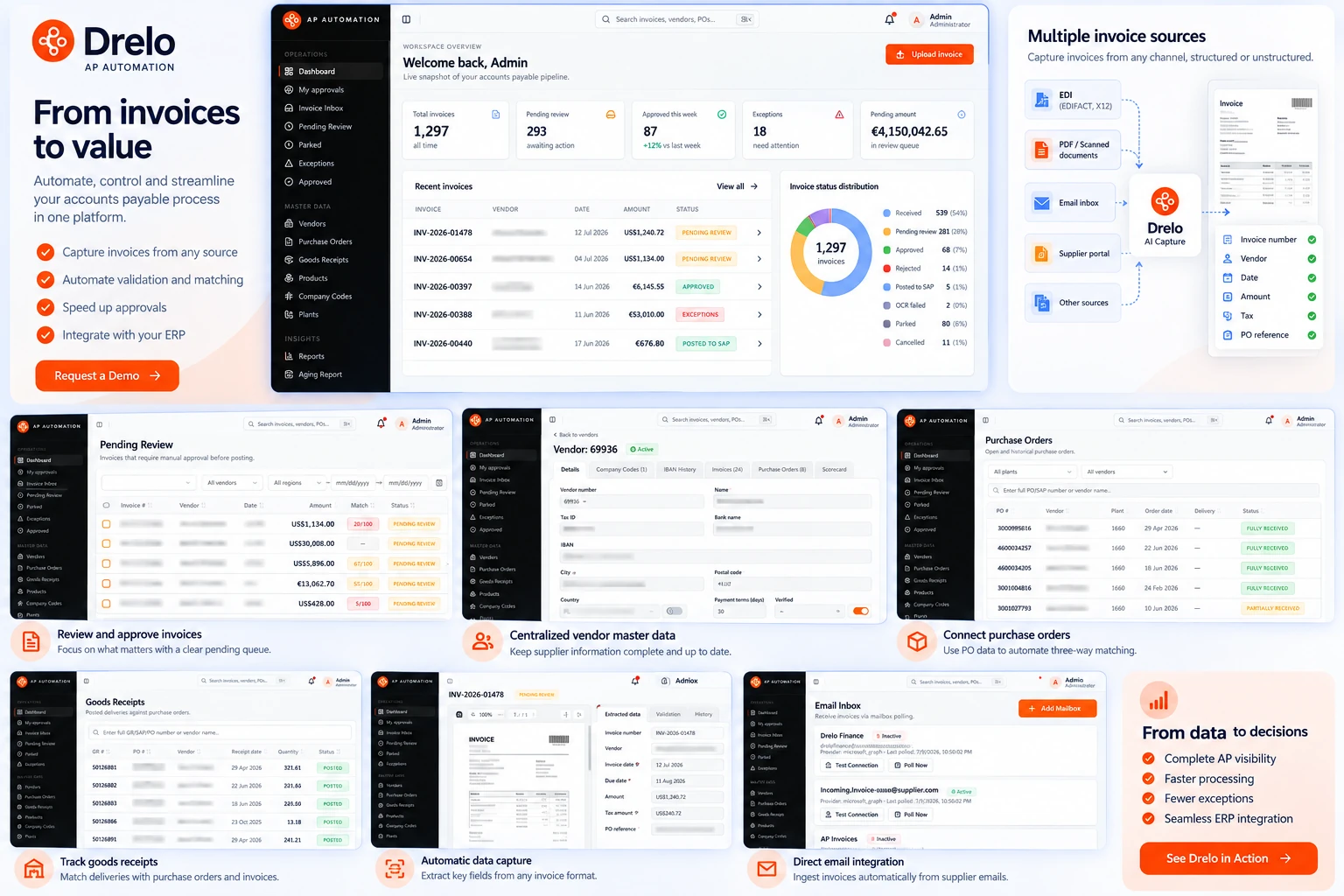
Invoice capture
Capture is the point at which an invoice enters a controlled process. Until then it is an email attachment or a message in a queue; after it, it is a tracked record.
- Supplier-generated PDFs
- Scanned paper invoices
- Shared AP mailbox
- Portal or upload submission
- Messages over an established channel
- Standard-defined fields
- Capture and extraction
- Normalisation into one record shape
- Validation and routing
Whatever the channel, the original document or message stays linked to the extracted data for review and audit.
- ·Email attachments sent to a shared AP mailbox
- ·Scanned paper invoices
- ·Supplier portal or upload submissions
- ·EDI messages arriving over an established channel
Each captured invoice keeps its original document or message alongside the extracted data, so the source is always available for review and audit.
PDF and document invoices
Document invoices carry their data in a visual layout. Two suppliers can describe the same commercial transaction with completely different positioning, wording and table structure, and both are valid invoices.
What is read from the document
- ·Invoice number, invoice date and due date
- ·Supplier identity and tax registration details
- ·Buyer entity, PO reference and delivery references
- ·Currency, net amounts, tax amounts and totals
- ·Line items: description, quantity, unit, unit price, tax and line total
Drelo.ai is designed to read these without maintaining a per-vendor template, because template maintenance is what makes the long tail of suppliers uneconomic to automate.
Structured EDI invoices
Structured invoices arrive as defined messages — EDIFACT INVOIC, ANSI X12 810 and related formats — where the standard already defines the fields. Nothing has to be read from a layout, but the message still has to be interpreted correctly.
- ·Segment and element interpretation for the message version in use
- ·Partner-specific conventions inside the standard
- ·Identifier translation between partner codes and your master data
- ·Consistent handling of tax, allowances and charges
The point of handling EDI and documents in one platform is that the validation rules and ERP mapping behind them are defined once instead of twice.
Header and line-item values are read, each carrying a confidence signal.
Units, currencies, tax codes and supplier identifiers are aligned to one record shape.
Arithmetic, identity, completeness, duplicates and references are checked.
Clean records continue; anything that fails a check waits visibly for review.
Each stage is described in detail in the sections that follow.
Data extraction
Extraction produces field values, and each value carries a confidence signal. A confident extraction continues through the process; a weak or missing one is surfaced for confirmation rather than silently accepted.
Line-item extraction is the part that determines what is possible later. Header totals are enough to register a document, but matching, GL coding and spend analysis all need line-level data.
Invoice normalisation
Normalisation is the step that makes invoices from different channels comparable. The same commercial fact — a quantity, a tax rate, a currency, a supplier — has to end up in the same field, in the same format, regardless of how it arrived.
- ·One invoice record shape for every channel
- ·Unit of measure alignment across suppliers
- ·Currency and decimal handling
- ·Tax code mapping to your own tax logic
- ·Supplier identifier resolution against the vendor master
Validation
Validation decides whether an invoice record can be trusted. Checks run against the record itself and against your reference data.
- ·Arithmetic: line items, tax and totals reconcile
- ·Duplicate detection against invoices already received from that supplier
- ·Required fields present for the target ERP
- ·Valid tax codes, currencies and entity references
- ·Referenced PO, cost centre or GL account exists
Invoice routing
Routing sends each invoice where it can actually progress. Clean invoices continue toward posting. Anything that failed a check goes to the person or team who can resolve that specific failure, with the reason attached.
Routing rules are usually a mix of entity, supplier, amount and failure type — and they are worth revisiting after the first weeks of live data, when the real exception mix becomes visible.
Invoice status and visibility
Every invoice has a state: captured, extracted, validated, in exception, approved or posted. Having that state in one place answers the questions AP teams are asked daily — where is this invoice, why has it not been posted, and what is it waiting on.
Invoice processing flow
The steps below describe how one invoice moves through processing. How many invoices clear without a person depends on your data quality and how strict your validation rules are.
- Email or scan
- Portal upload
- EDI channel
The invoice is taken in from its channel and becomes a tracked record.
Header and line data are read and mapped to one internal shape.
Arithmetic, duplicates, references and required fields are checked.
Clean invoices continue; exceptions go to the person who can resolve them.
- Validated invoice record
- Source document linked
One invoice record moves through the lifecycle. Anything that fails a check is routed for review rather than posted.
Exceptions
An exception is an invoice that cannot safely continue. It is a normal part of the process, not a failure of it — the goal is for exceptions to be few, explained and quickly resolvable.
- ·Unreadable or missing fields on a document invoice
- ·Totals that do not reconcile with line items
- ·Duplicate invoice number for the same supplier
- ·Unknown supplier or missing PO reference
- ·Tax or currency values not valid for the entity
ERP posting and integration
The end state of invoice automation is a validated record delivered to the ERP in the shape it expects, with the original document linked to it. Field mapping, entity and currency handling, and tax and GL determination are all part of that delivery.
Where the invoice sits inside the wider payables process — matching against purchase orders and receipts, approval routing, audit trail and SAP-specific considerations — is covered on the AP automation page.
Frequently asked questions
What is invoice automation?
Invoice automation is the processing of invoice documents and messages into validated, structured data that a finance system can use — capture, extraction, normalisation, validation, routing and posting. It is the data layer of accounts payable rather than the full payables process.
How is it different from AP automation?
Invoice automation is about the invoice itself. AP automation is the broader accounts payable process around it, including matching against purchase orders, approval workflow and payment preparation. Invoice automation is a prerequisite for AP automation, not a substitute for it.
Do PDF invoices need a template per supplier?
Drelo.ai is built to read invoices without maintaining a layout template for each vendor, which is what makes the long tail of suppliers workable. Field-level review during onboarding is still normal for unusual layouts.
Are line items extracted, or only header totals?
Both. Line-item data is what makes matching and GL coding possible; header-only extraction limits you to basic document registration.
What happens with an invoice that cannot be read reliably?
It is flagged rather than guessed. A low-confidence or incomplete extraction becomes an exception with the affected fields identified, so a person confirms the data instead of a wrong value reaching the ERP.
Which invoice formats are relevant?
Structured EDI messages such as EDIFACT INVOIC and ANSI X12 810, and document invoices such as PDFs, scans and emailed attachments. Both are normalised into the same invoice record.
Walk through your invoice mix
Send us the formats and channels you receive today, and we will show how they are captured, validated and posted.